CAD-13 · CAD TO QUOTE
DROP THE CAD FILE. GET THE QUOTE.
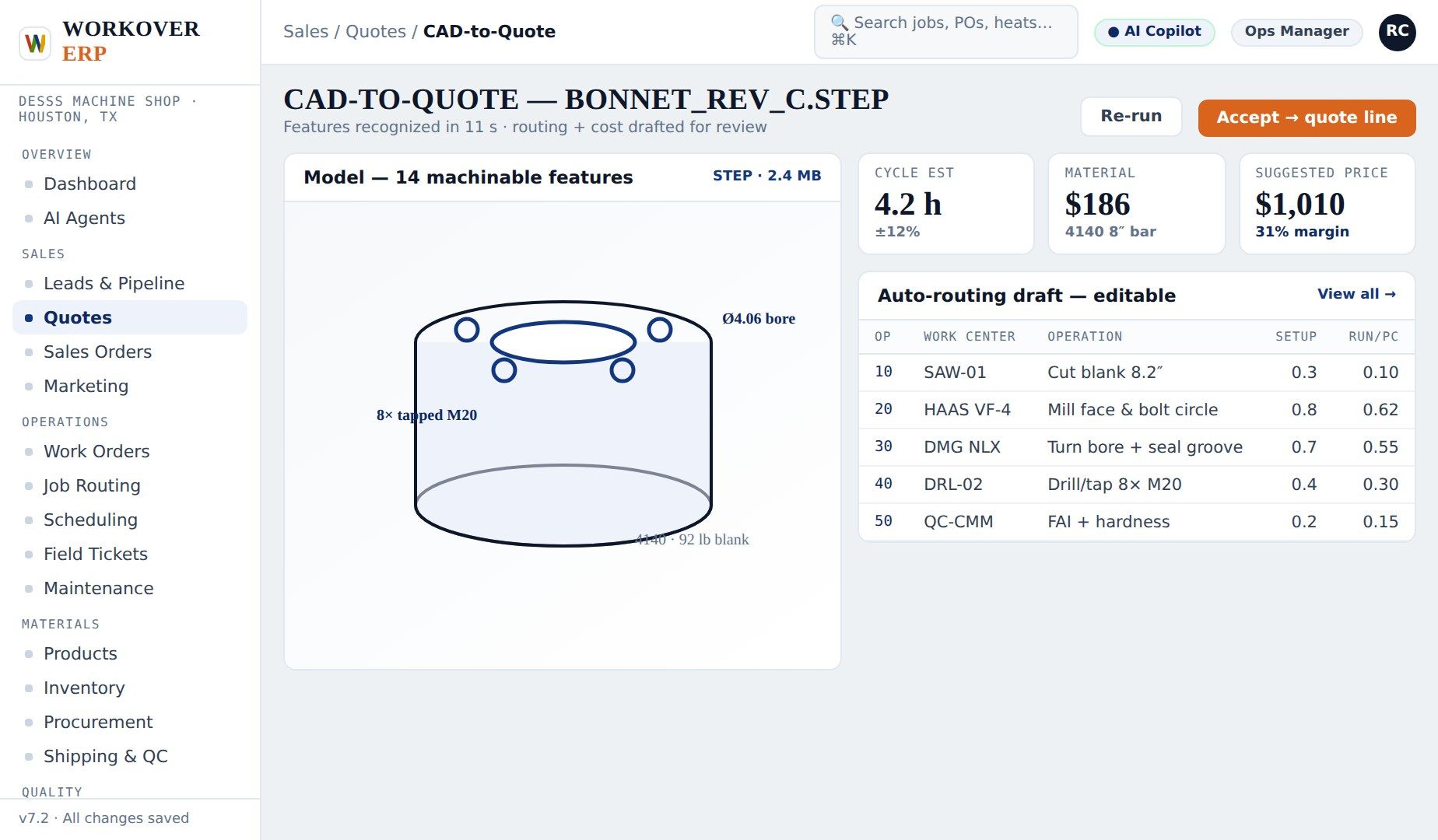
Workover ERP's CAD to Quote reads STEP, IGES, and DXF files, analyzes the part geometry, suggests operations, setups, and cycle times from your routing history, and builds a priced quote at your real shop rates — turning a two-day estimating job into minutes.
INSIDE THE PRODUCT
CAPABILITIES
WHAT'S INSIDE CAD TO QUOTE
CAD-13 · 01
STEP / IGES / DXF IMPORT
Drop the customer's model straight in — no translation software, no redrawing.
CAD-13 · 02
GEOMETRY ANALYSIS
Bores, threads, flats, and tolerances detected from the model and matched to operations.
CAD-13 · 03
CYCLE TIME SUGGESTIONS
Setup and run estimates proposed from your routing history on similar features.
CAD-13 · 04
REAL SHOP RATES
Labor, machine, and burden rates from your work centers — quoted margin means something.
CAD-13 · 05
ESTIMATOR IN CONTROL
Every suggested operation is editable; the AI proposes, your estimator disposes.
CAD-13 · 06
QUOTE TO ROUTING
A won CAD quote becomes the work order routing — nothing re-entered.
CAD TO QUOTE IN FOUR MOVES
DROP
The customer emails a STEP file for a gearbox plate. It's dropped into CAD to Quote.
ANALYZE
Geometry is read: face mill, bore, tap ×8, anodize outside process.
PRICE
Operations price at your rates; the estimator tweaks the bore cycle and locks 36% margin.
SEND
The quote goes out same day — and becomes the routing when the PO lands.
FAQ
CAD TO QUOTE — QUESTIONS WE GET
What CAD formats does Workover ERP read?
STEP, IGES, and DXF files import directly. The geometry engine identifies machinable features — bores, threads, pockets, flats — and proposes matching operations.
Does it replace my estimator?
No — it makes them faster. Every suggested operation, time, and rate is editable. The system proposes a starting point from your own routing history; the estimator stays in control of the final quote.
How accurate are the cycle time suggestions?
Suggestions are drawn from your shop's actual history on similar features and improve as more jobs close. Estimators typically adjust rather than rebuild.
What happens when the quote is won?
The quoted operations become the work order routing automatically, and the quoted cost becomes the baseline for estimate-vs-actual job costing.
SEE CAD TO QUOTE ON YOUR DATA
Bring one real job. We'll show it running end-to-end in a 30-minute live demo.
RELATED MODULES
Sales & Quoting →Doc AI / OCR → Job Routing →Machine Shop →