OPR-18 · OPERATOR WORKSPACE
THE SHOP FLOOR SCREEN YOUR CREW WILL ACTUALLY USE
Workover ERP gives every operator a simple tablet workspace: My Day shows their assigned jobs in order, Job Focus puts the drawing, specs, and operation steps at the machine, the Time Card runs on one-tap clock-ins, and Messages replaces the walk across the shop — no ERP training required.
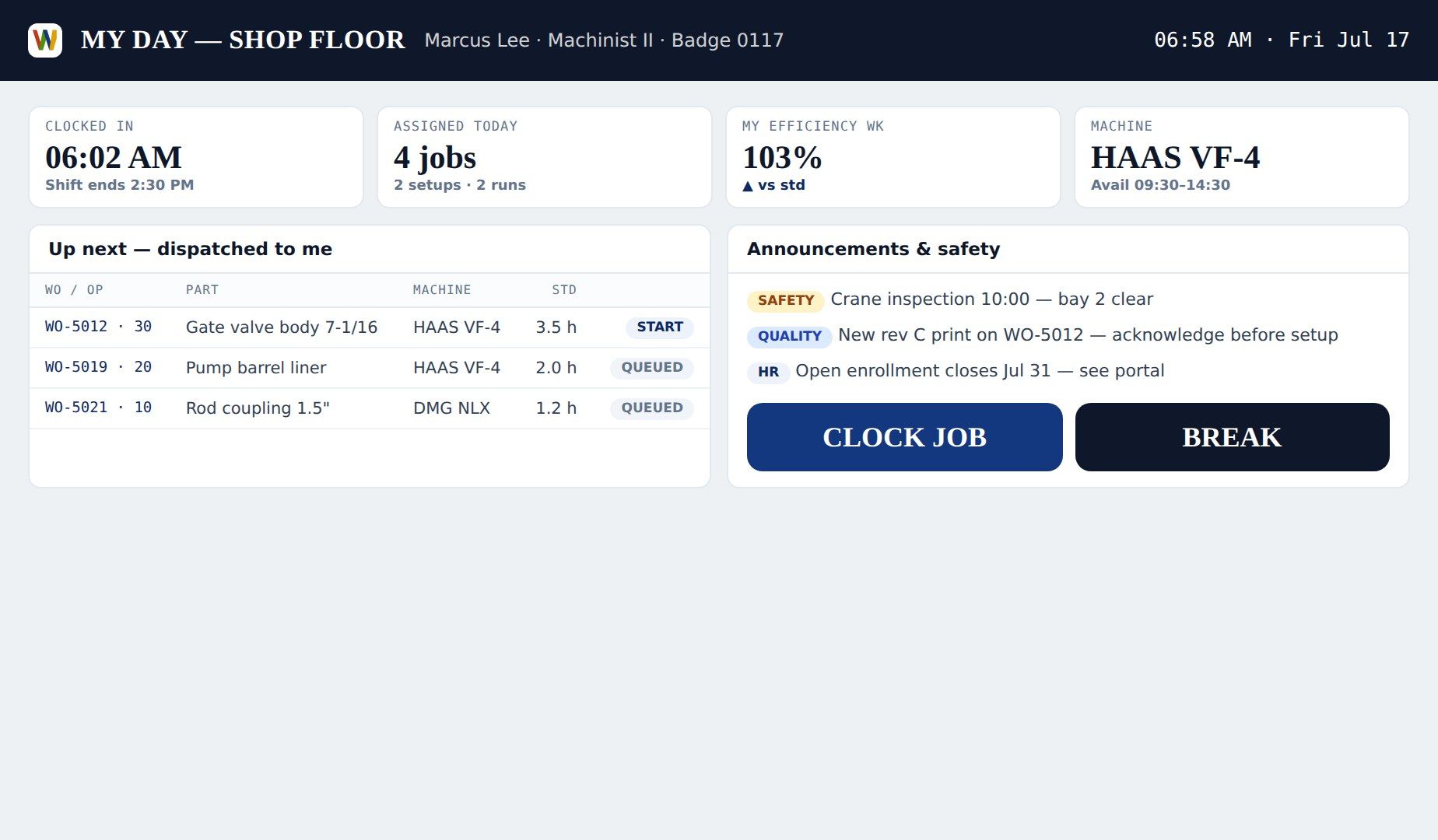
INSIDE THE PRODUCT
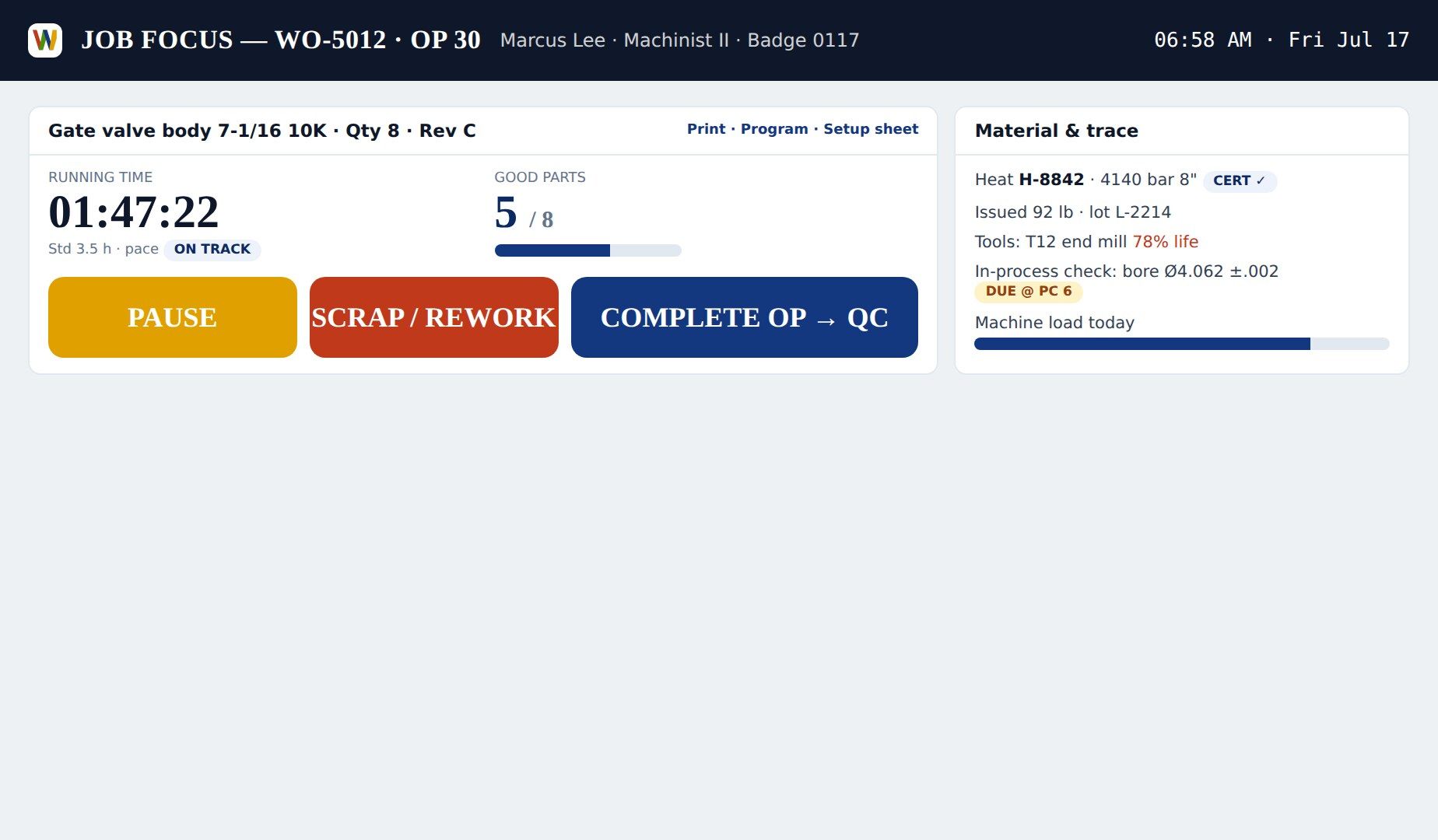
Job Focus with drawing and specs
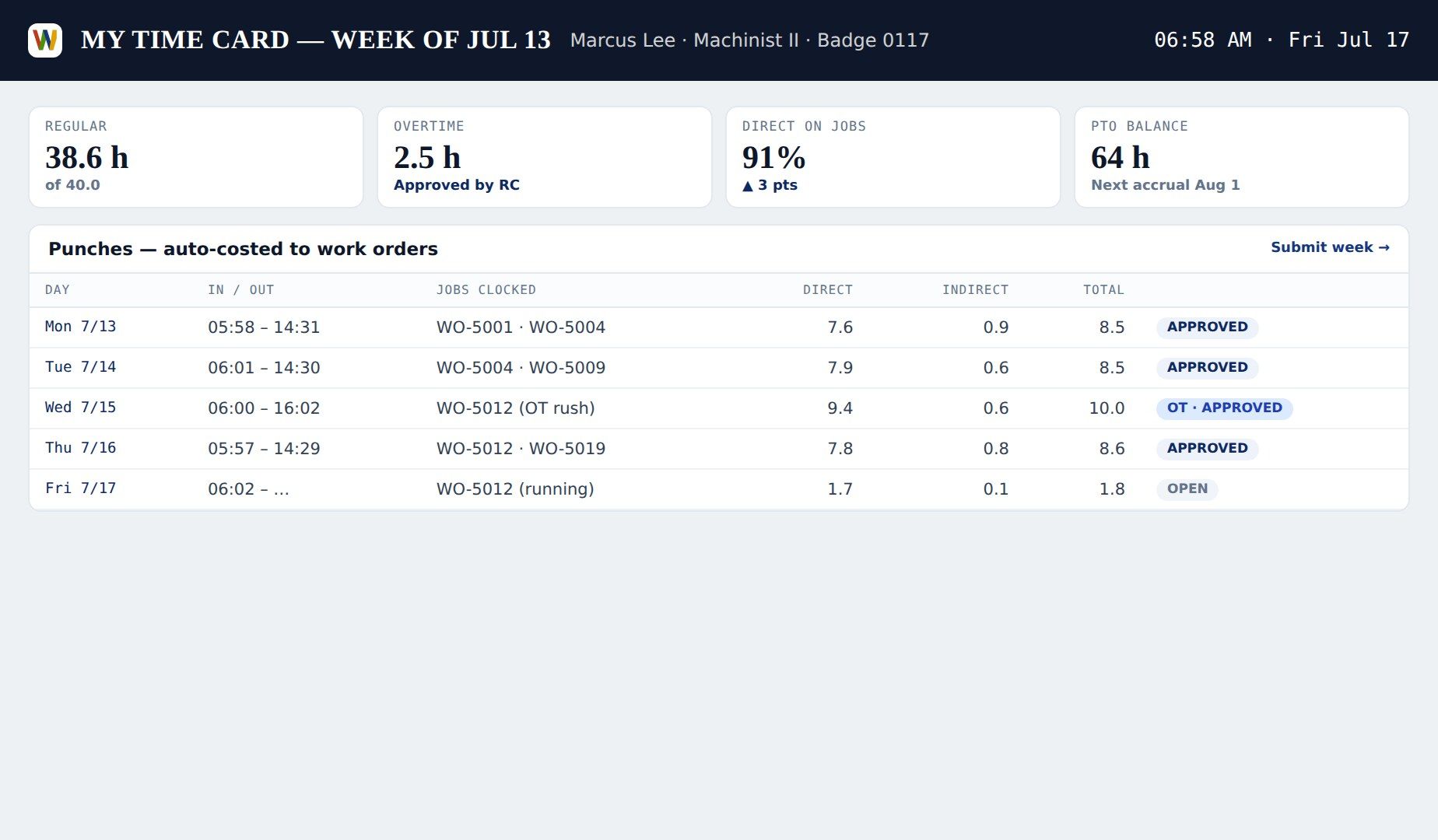
One-tap time card
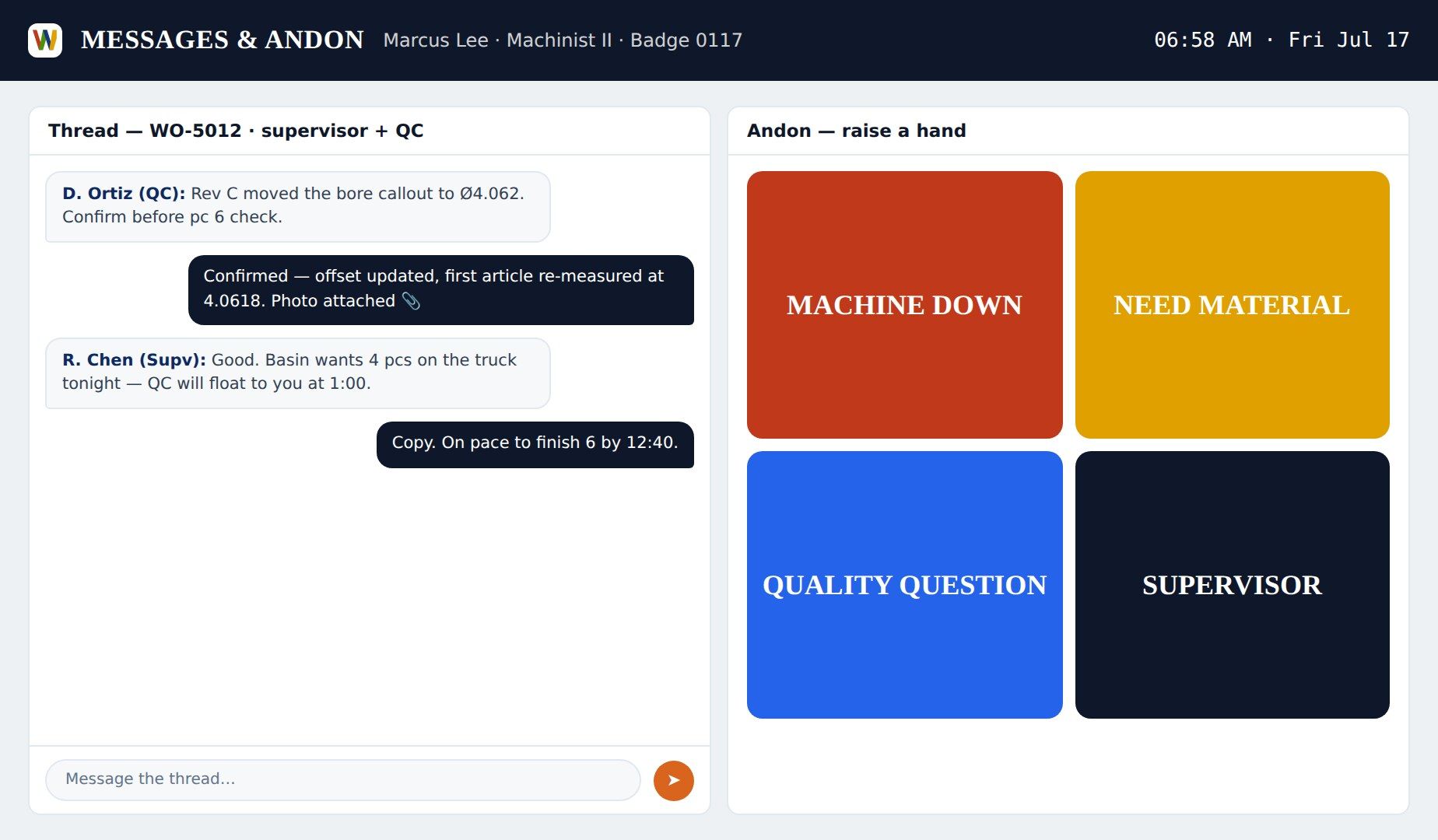
Shop floor messages
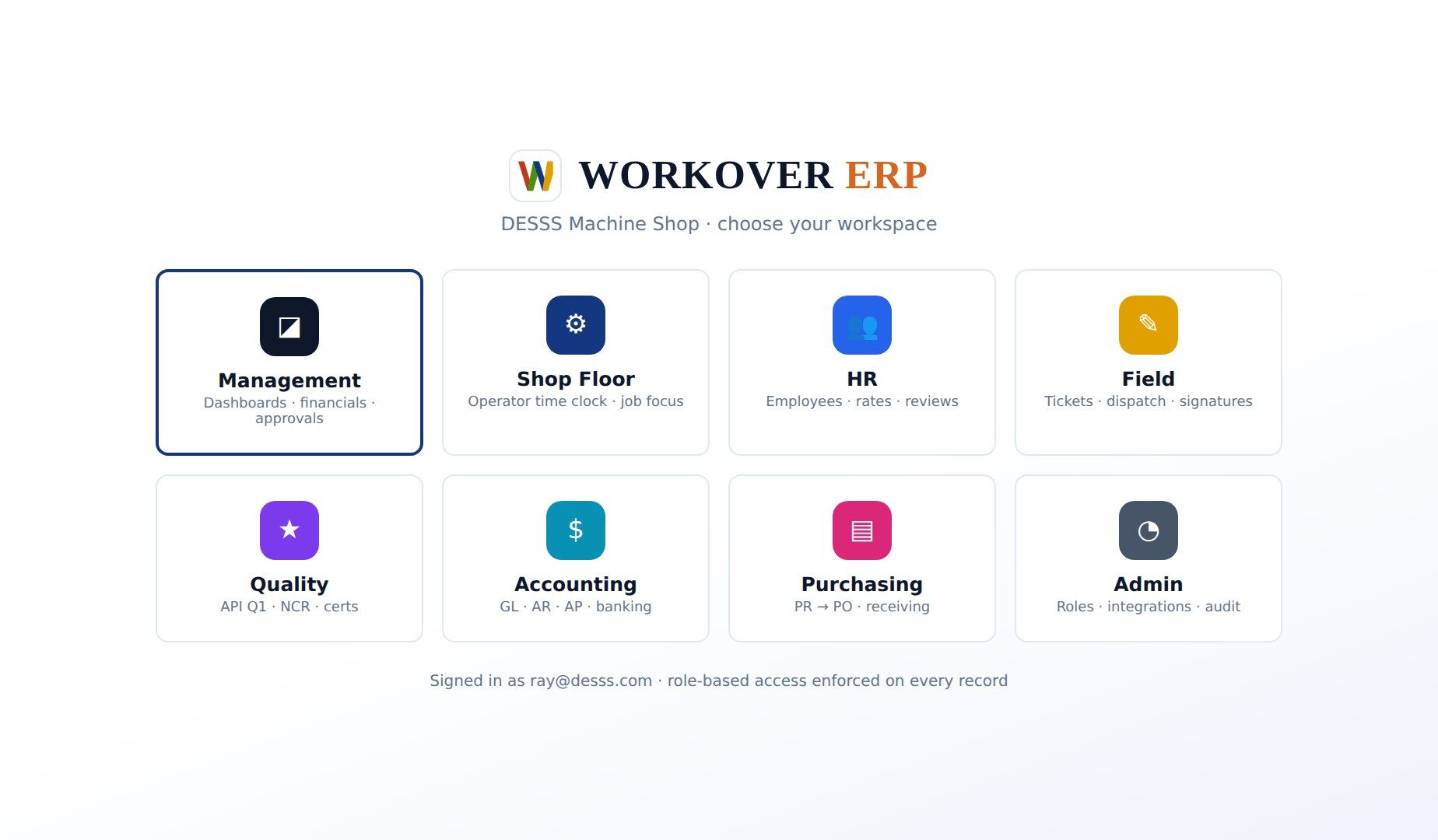
Role-based sign-in
CAPABILITIES
WHAT'S INSIDE OPERATOR WORKSPACE
OPR-18 · 01
MY DAY
Today's assigned operations in sequence — what to run, in what order, with due times.
OPR-18 · 02
JOB FOCUS
The active job's drawing, specs, tolerances, and operation notes on one screen at the machine.
OPR-18 · 03
ONE-TAP TIME CARD
Clock in, clock onto a job, clock out — hours post to job cost live.
OPR-18 · 04
GOOD PARTS & SCRAP ENTRY
Quantities and scrap codes entered at the machine, feeding QA and costing instantly.
OPR-18 · 05
MESSAGES
Supervisor-to-floor messaging with job context — 'call supervisor' is one tap.
OPR-18 · 06
ROLE-BASED SIMPLICITY
Operators see operator screens; the full ERP stays out of their way.
HOW IT WORKS
OPERATOR WORKSPACE IN FOUR MOVES
START
Gus badges in; My Day shows three operations, starting with WO-2041 op 40.
FOCUS
Job Focus shows the drawing, the 0.002" flatness callout, and the routing note.
RUN
He logs 4 good parts and clocks to the next op — labor posts live.
FLAG
A gauge issue goes to Messages with a photo; QA responds before the next part.
FAQ
OPERATOR WORKSPACE — QUESTIONS WE GET
Do operators need ERP training?
Practically none. The operator workspace has four screens — My Day, Job Focus, Time Card, Messages — designed for a tablet on the shop floor with gloves on. Most crews are running in the first hour.
What does an operator actually see?
Only what they need: their assigned operations for today, the active job's drawing and specs, their time card, and messages. The rest of the ERP is invisible to the operator role.
How does this feed job costing and quality?
Every clock-in posts labor to the exact operation, and good-part and scrap counts entered at the machine feed job cost and QA trend reports in real time.
Can supervisors message the floor?
Yes — messages carry job context, support photos, and reach the right station, replacing the walk across the shop and the sticky note on the machine.
SEE OPERATOR WORKSPACE ON YOUR DATA
Bring one real job. We'll show it running end to end in a 30-minute live demo.
RELATED MODULES
Time & Labor → Job Routing →Machine Shop →Master Data & Access →