TIM-09 · JOB CLOCK, TIMESHEETS & PAYROLL
EVERY HOUR CLOCKED TO A JOB
Workover ERP's job clock lets crews clock in and out at any shop tablet or in the field, posts every hour to a specific job and operation in real time, builds weekly timesheets and logs automatically, and generates pay stubs with regular, overtime, and per-job breakdowns.
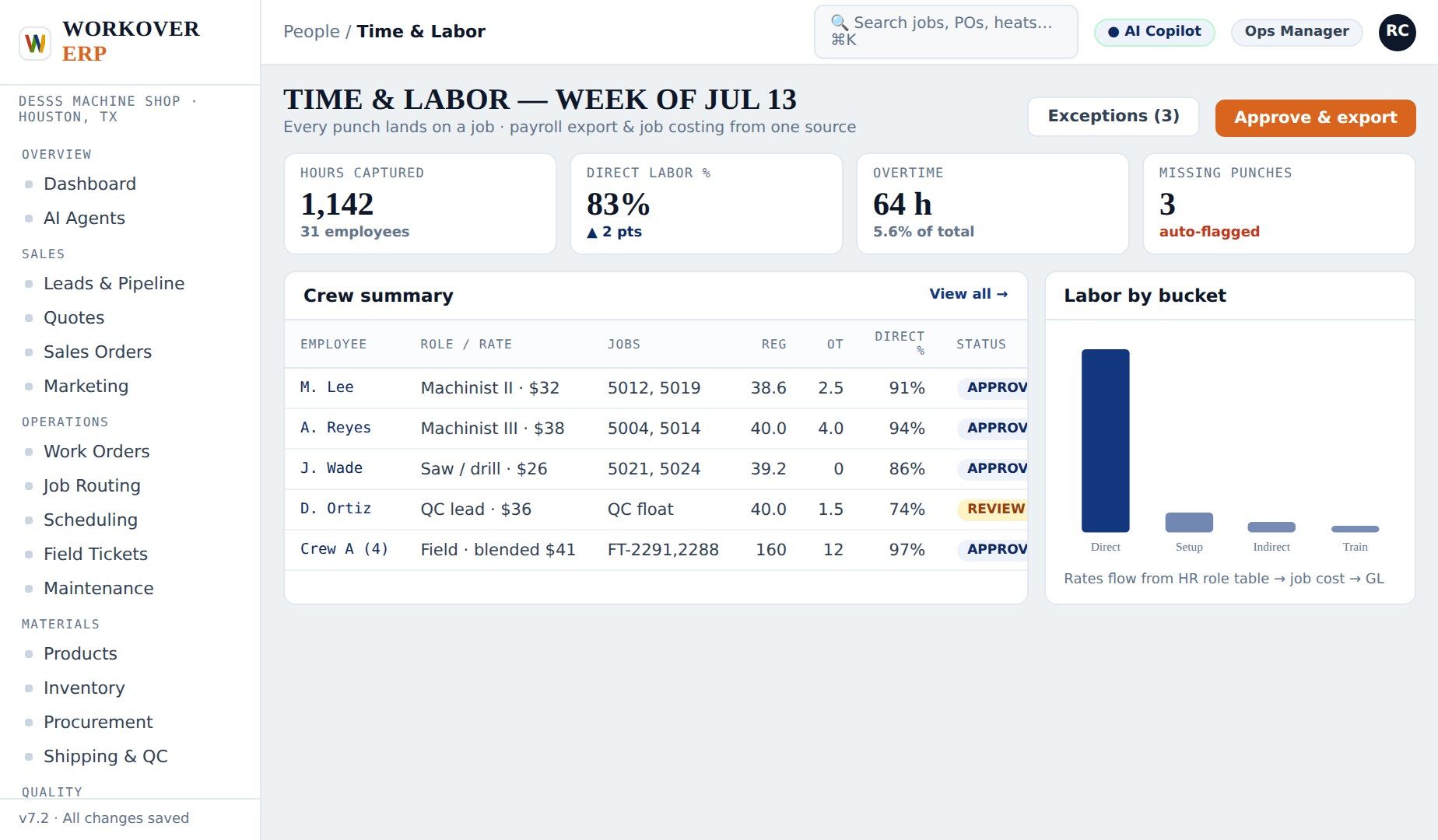
INSIDE THE PRODUCT
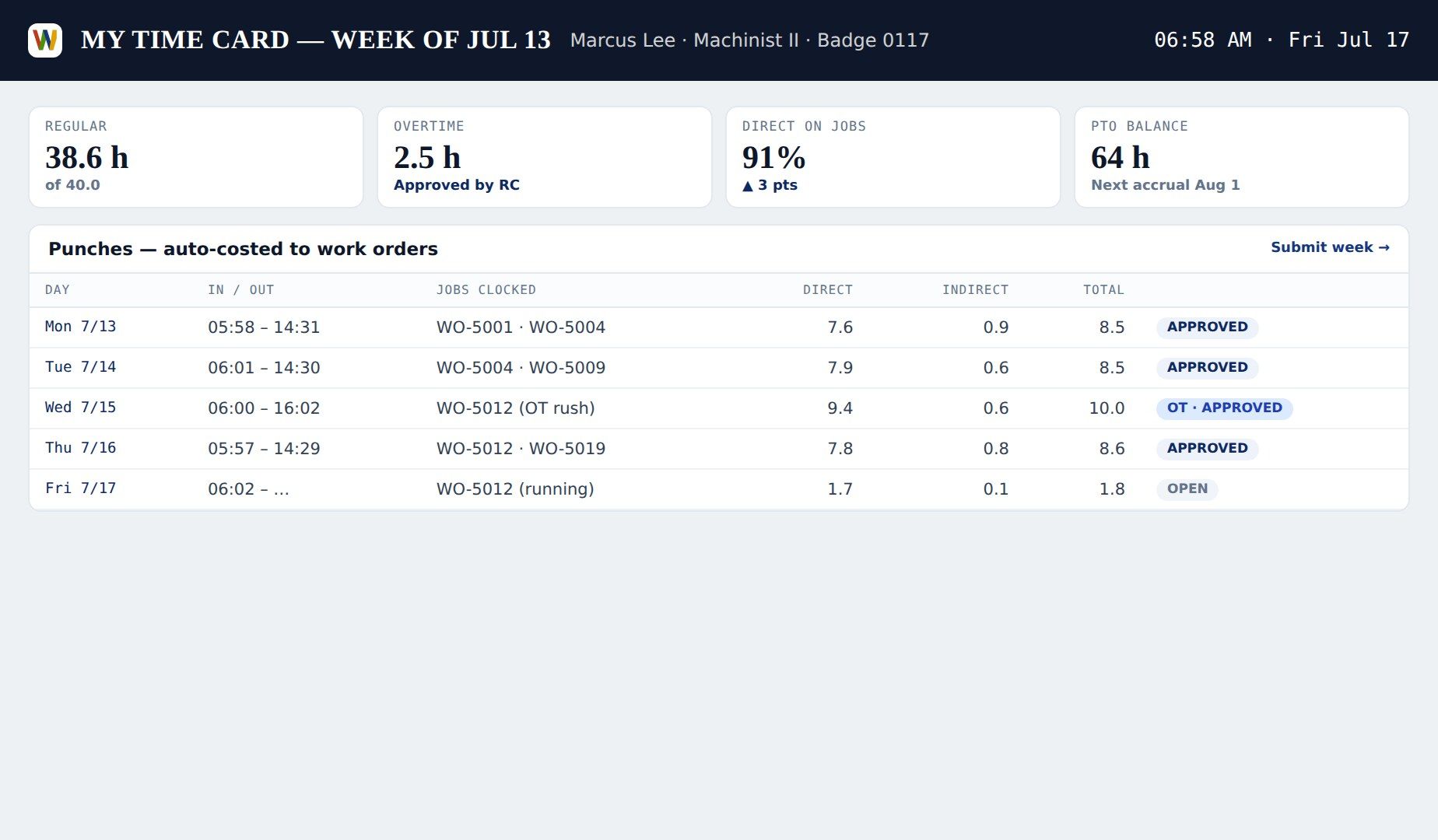
CAPABILITIES
TIM-09 · 01
CLOCK IN / CLOCK OUT
Badge, PIN, or tap — at a shop terminal, tablet, or phone in the field.
TIM-09 · 02
HOURS TO JOB & OPERATION
Time posts to the exact work order and operation, so job cost is live, not reconstructed.
TIM-09 · 03
AUTOMATIC TIMESHEETS
Weekly timesheets build themselves from clock data; supervisors approve exceptions, not every line.
TIM-09 · 04
WEEKLY LOGS
Per-employee weekly logs show regular, overtime, and job mix at a glance.
TIM-09 · 05
PAY STUBS
Approved time flows to payroll; pay stubs show reg, OT, and per-job hours.
TIM-09 · 06
PAYROLL INTEGRATIONS
Export or sync to ADP, QuickBooks, Gusto, and other payroll providers.
JOB CLOCK, TIMESHEETS & PAYROLL IN FOUR MOVES
CLOCK IN
M. Delgado badges in at lathe 3 on WO-2041, operation 40.
POST
Hours post to the job in real time — no end-of-day entry.
APPROVE
Friday's timesheet shows 40 regular and 2.5 OT across three jobs; the supervisor approves in one tap.
PAY
Payroll runs from approved time; the pay stub breaks hours down per job.
FAQ
JOB CLOCK, TIMESHEETS & PAYROLL — QUESTIONS WE GET
How do employees clock in?
With a badge, PIN, or tap on any shop terminal, tablet, or phone. Clocking onto a job and operation is part of the same action, so time lands where it belongs.
Are timesheets built automatically?
Yes. Weekly timesheets assemble from clock events. Supervisors review exceptions — missed punches, overtime — rather than keying every line.
Does Workover ERP generate pay stubs?
Yes. Approved timesheets flow to payroll and generate pay stubs showing regular hours, overtime, and per-job breakdowns. Syncs with providers like ADP, QuickBooks Payroll, and Gusto are available.
How does labor connect to job cost?
Every hour posts to a specific work order and operation at your loaded labor rates the moment it is clocked, so estimate-vs-actual margin is visible while the job is still on the machine.
SEE JOB CLOCK, TIMESHEETS & PAYROLL ON YOUR DATA
Bring one real job. We'll show it running end-to-end in a 30-minute live demo.
RELATED MODULES
Job Routing →Machine Shop → Financials →Dashboards →