RPT-12 · HOW IT WORKS · ≈60 SEC
HOW DASHBOARDS & REPORTS WORK
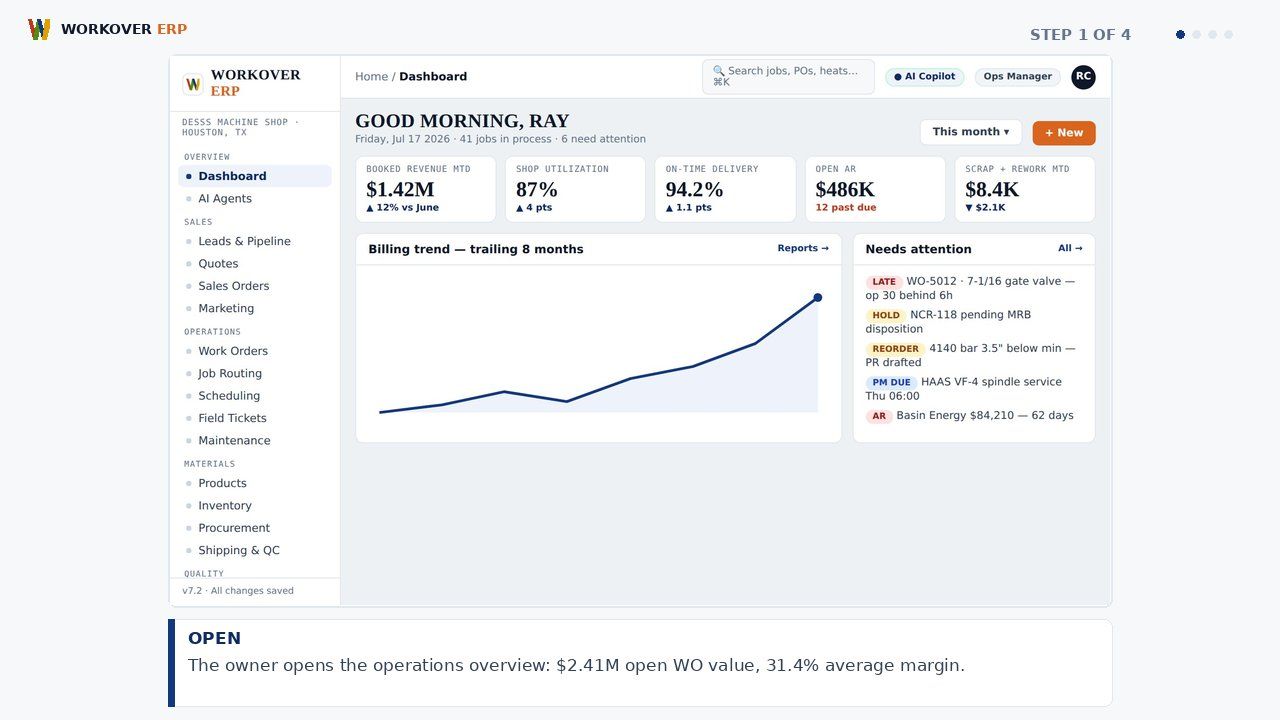
Workover ERP ships role-based dashboards for owners, shop supervisors, QA managers, and controllers, covering job margin, machine utilization, on-time delivery, DSO, and AP aging — every number live and drillable to the source transaction.
ABOUT THIS MODULE
Step-by-step walkthrough of Dashboards & Reports in Workover ERP: open; spot; drill; fix. Watch the storyboard and grab the voiceover script.
Explore the Dashboards & Reports module → · All module videos →
RELATED WALKTHROUGHS
Modules that share this workflow — each one runs about sixty seconds.
How AI Agents Works in Workover ERP
Step-by-step walkthrough of AI Agents in Workover ERP: watch; detect; alert; act.
How Financial Accounting Works in Workover ERP
Step-by-step walkthrough of Financial Accounting in Workover ERP: post; invoice; match; close.
How Machine Shop Control Works in Workover ERP
Step-by-step walkthrough of Machine Shop Control in Workover ERP: load; balance; trace; deliver.
SEE IT ON YOUR DATA.
30 minutes, your real job on our screen — quote, traveler, invoice, end to end.