RTE-03 · HOW IT WORKS · ≈60 SEC
HOW JOB ROUTING & TRAVELERS WORKS
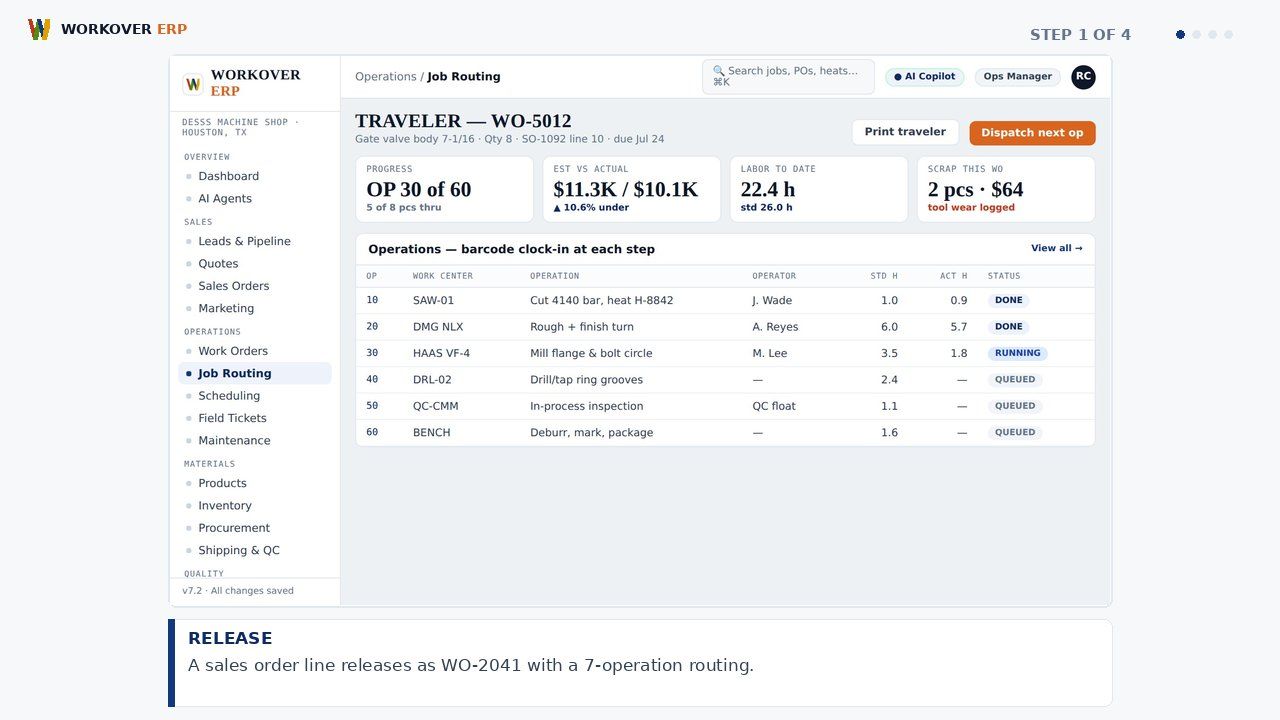
Workover ERP replaces paper travelers with digital routings: every work order carries its operation steps, drawings, and specs, gets stamped at each station from any tablet, and reports live status back to scheduling, costing, and the customer promise date.
ABOUT THIS MODULE
Step-by-step walkthrough of Job Routing & Travelers in Workover ERP: release; route; hold; close. Watch the storyboard and grab the voiceover script.
RELATED WALKTHROUGHS
Modules that share this workflow — each one runs about sixty seconds.
How Shop Scheduling Works in Workover ERP
Step-by-step walkthrough of Shop Scheduling in Workover ERP: load; spot; drag; ship.
How Job Clock, Timesheets & Payroll Works in Workover ERP
Step-by-step walkthrough of Job Clock, Timesheets & Payroll in Workover ERP: clock in; post; approve; pay.
How Machine Shop Control Works in Workover ERP
Step-by-step walkthrough of Machine Shop Control in Workover ERP: load; balance; trace; deliver.
SEE IT ON YOUR DATA.
30 minutes, your real job on our screen — quote, traveler, invoice, end to end.