SCH-14 · HOW IT WORKS · ≈60 SEC
HOW SHOP SCHEDULING WORKS
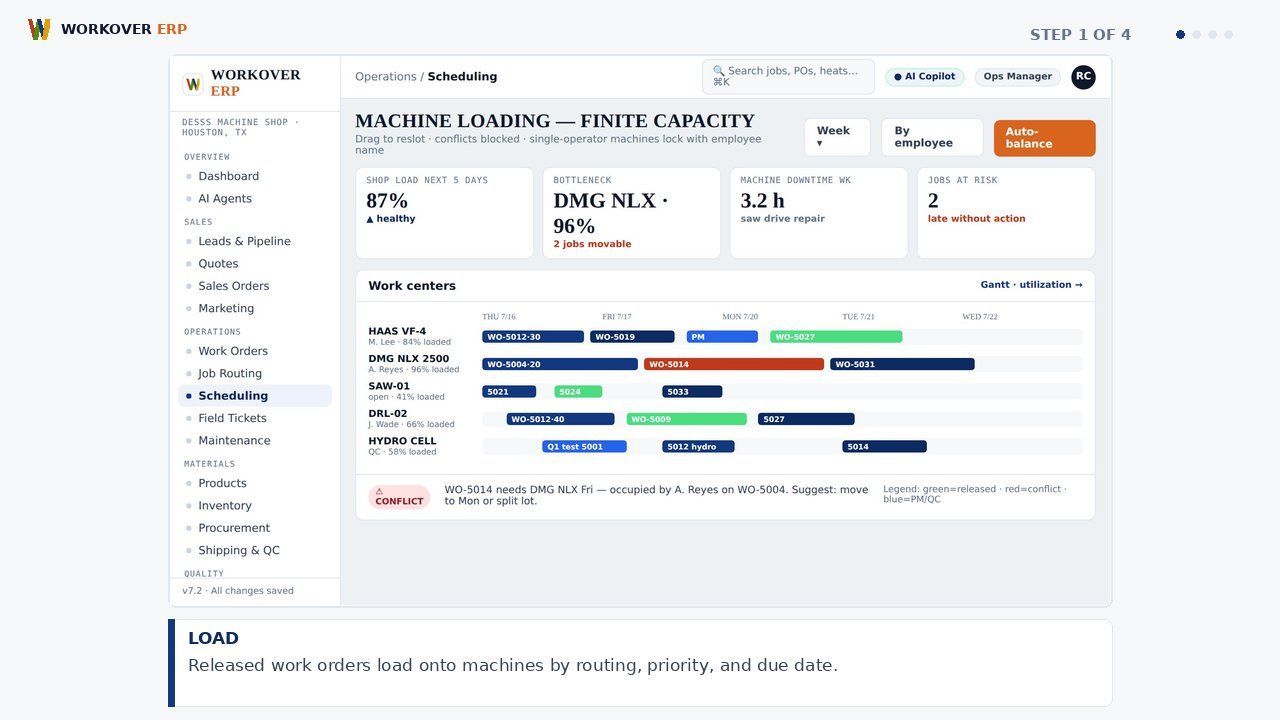
Workover ERP's scheduling board loads work orders against real machine and labor capacity, shows bottlenecks before they cost a delivery date, and lets supervisors drag, drop, and re-sequence with conflicts resolved live.
ABOUT THIS MODULE
Step-by-step walkthrough of Shop Scheduling in Workover ERP: load; spot; drag; ship. Watch the storyboard and grab the voiceover script.
RELATED WALKTHROUGHS
Modules that share this workflow — each one runs about sixty seconds.
How Machine Shop Control Works in Workover ERP
Step-by-step walkthrough of Machine Shop Control in Workover ERP: load; balance; trace; deliver.
How Equipment Maintenance Works in Workover ERP
Step-by-step walkthrough of Equipment Maintenance in Workover ERP: plan; block; fix; learn.
How Job Routing & Travelers Works in Workover ERP
Step-by-step walkthrough of Job Routing & Travelers in Workover ERP: release; route; hold; close.
SEE IT ON YOUR DATA.
30 minutes, your real job on our screen — quote, traveler, invoice, end to end.