CAD-13 · HOW IT WORKS · ≈60 SEC
HOW CAD TO QUOTE WORKS
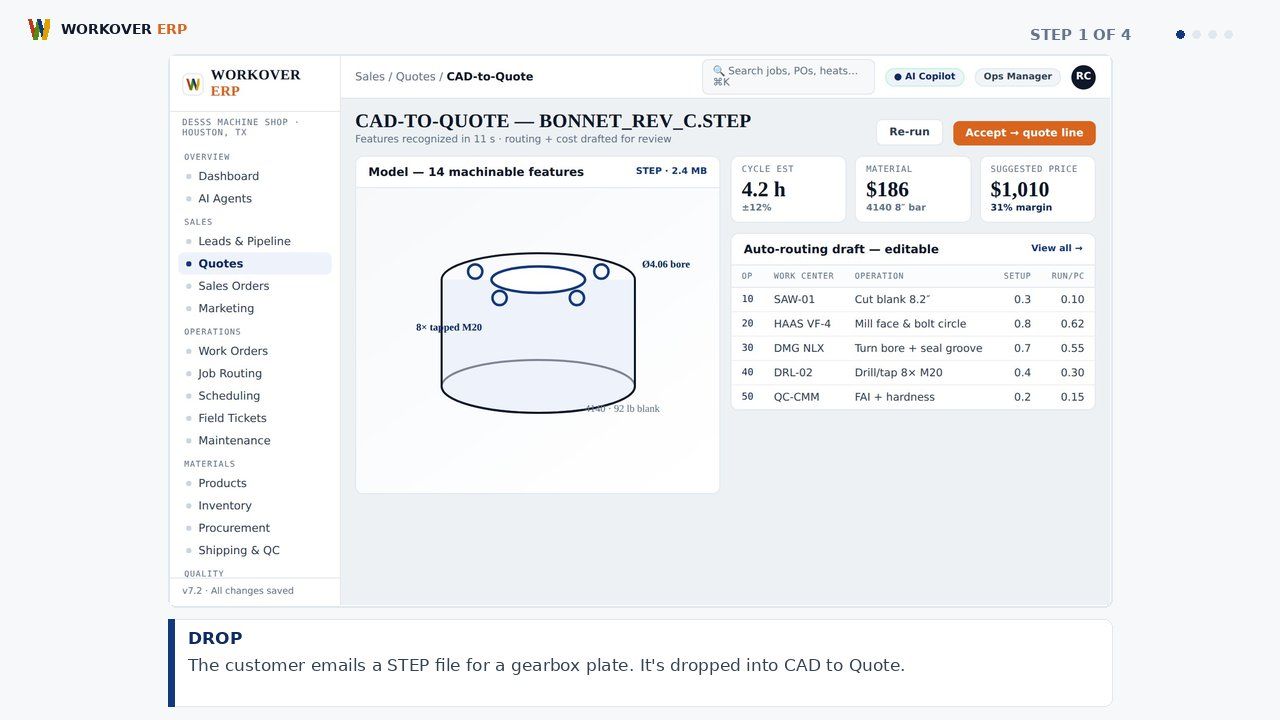
Workover ERP's CAD to Quote reads STEP, IGES, and DXF files, analyzes the part geometry, suggests operations, setups, and cycle times from your routing history, and builds a priced quote at your real shop rates — turning a two-day estimating job into minutes.
ABOUT THIS MODULE
Step-by-step walkthrough of CAD to Quote in Workover ERP: drop; analyze; price; send. Watch the storyboard and grab the voiceover script.
RELATED WALKTHROUGHS
Modules that share this workflow — each one runs about sixty seconds.
How Leads, CRM & Quoting Works in Workover ERP
Step-by-step walkthrough of Leads, CRM & Quoting in Workover ERP: capture; quote; win; track.
How Job Routing & Travelers Works in Workover ERP
Step-by-step walkthrough of Job Routing & Travelers in Workover ERP: release; route; hold; close.
How Shop Scheduling Works in Workover ERP
Step-by-step walkthrough of Shop Scheduling in Workover ERP: load; spot; drag; ship.
SEE IT ON YOUR DATA.
30 minutes, your real job on our screen — quote, traveler, invoice, end to end.